
VMOU ABC ID 2026: DEB ID Registration, DigiLocker Link and Login Steps
Part of VMOU ID & Login: VMOU Student One View: Scholar Number Login and Status Search Portal
- VMOU distance learning applicants must create a unique DEB ID using their existing ABC ID before completing admission.
- Students can generate an ABC ID through their personal DigiLocker account prior to accessing the DEB portal.
- A single DEB ID remains valid across a learner’s entire lifetime duration of open and distance education.
- Learners can correct ABC ID details through the support portal or DigiLocker before updating their DEB profile.
Page contents
- VMOU ABC ID notice: mandatory DEB ID requirement for ODL sessions
- VMOU ABC ID overview: DigiLocker integration and lifelong validity
- VMOU ABC ID highlights: portal details and technical specifications
- VMOU DEB ID creation: step-by-step registration procedure
- VMOU ABC ID form fields: required identity documents and portal inputs
- VMOU ABC ID correction: step-by-step profile update process
- VMOU admission status check: Student One-View portal verification
- VMOU ABC ID helpdesk: official contacts for registration issues
- VMOU ABC ID: official portals and documents
- Questions about VMOU ABC ID
Vardhman Mahaveer Open University, Kota requires every candidate applying for Open and Distance Learning programmes to generate a unique Distance Education Bureau ID using their Academic Bank of Credits ID. Students enrolling in distance courses for the 2025-26 and 2026 academic sessions must complete this registration on the official portal before submitting admission forms. The generated identification number stays active throughout the learner’s entire educational lifecycle across recognized distance learning institutions in India.
VMOU ABC ID notice: mandatory DEB ID requirement for ODL sessions
Vardhman Mahaveer Open University requires all applicants seeking admission in Open and Distance Learning programmes for the 2025-26 session to submit a valid Distance Education Bureau ID. University Grants Commission guidelines mandate that no candidate can enroll in distance education without this registered identification number.
Candidates must generate their registration number online using an active Academic Bank of Credits ID created through DigiLocker. The regulation ensures that learners register exclusively in UGC-DEB recognized higher educational institutions and approved courses.
VMOU ABC ID overview: DigiLocker integration and lifelong validity
Vardhman Mahaveer Open University distance learners must link their Academic Bank of Credits ID with the Distance Education Bureau portal to generate a permanent identification profile. The generated DEB ID remains valid across the entire learning lifecycle of open and distance learning programmes in India.
Under University Grants Commission regulations, students holding a single DEB ID may enrol simultaneously in up to two academic programmes. Learners must create their ABC ID through the DigiLocker login portal prior to starting the DEB registration process.
Quick reference
- Mandatory ID Requirement: ABC ID & DEB ID
- DEB Portal Link: deb.ugc.ac.in
- ABC Creation Platform: DigiLocker Account
- ID Lifetime Validity: Entire Learning Lifecycle
- ABC Support Call Center: 18008893511
- DEB Technical Support Email: debtwo118@gmail.com
- Admission Verification Portal: Student One-View
VMOU ABC ID highlights: portal details and technical specifications
Vardhman Mahaveer Open University mandates specific portal links and identification details for creating learner accounts during the admission process. The table below lists the primary registration parameters, helpline contacts, and web portals required by distance education students.
VMOU ABC ID and DEB ID Key Parameters
| Parameter | Official Requirement / Detail |
|---|---|
| Mandatory Requirement | DEB ID created via ABC ID |
| Creation Portal | https://deb.ugc.ac.in |
| ABC ID Generation Platform | DigiLocker Account |
| Profile Validity | Lifelong across ODL programmes |
| ABC Support Helpline | 18008893511 |
| UGC-DEB Support Email | debtwo118@gmail.com |
| UGC-DEB Phone Lines | 011-23604-664, 011-23604-666 |
| Admission Status Portal | online.vmou.ac.in Student One-View |
Other VMOU services students check
VMOU DEB ID creation: step-by-step registration procedure
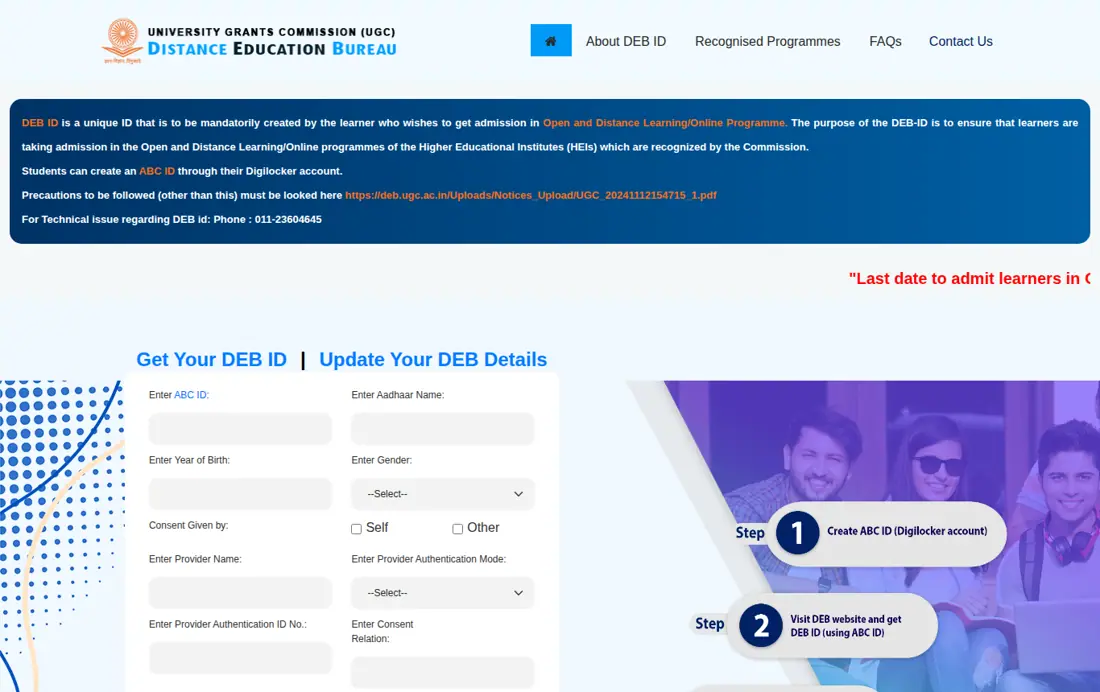
Vardhman Mahaveer Open University candidates must complete a four-step online procedure to register their Distance Education Bureau ID using their Academic Bank of Credits details. Learners need an active DigiLocker account to initiate this registration on the official portal.
- Log into your account on the DigiLocker portal to generate or fetch your unique 12-digit Academic Bank of Credits ID.
- Open the UGC DEB ID portal and enter your ABC ID to initiate the student registration form.
- Fill in your Aadhaar name, birth year, gender, email address, mobile number, and select your provider authentication document type.
- Enter the captcha code, tick the consent checkbox, and click Submit to generate your permanent DEB ID.
VMOU ABC ID form fields: required identity documents and portal inputs
Vardhman Mahaveer Open University applicants must provide specific identity records and personal details when completing the online DEB ID form. Candidates must ensure that all entered details match their Aadhaar card records exactly before submitting.
- ABCID (12-digit Academic Bank of Credits number)
- Aadhaar Name (full name printed on Aadhaar card)
- Birth Year (year of birth as recorded in identity documents)
- Gender (selection options: Male, Female, Transgender)
- Provider Present and Provider Name
- Provider Authentication Mode (options: PAN Card, Passport, UID, EPIC, Driving License)
- Provider Authentication ID (document number for selected authentication mode)
- Consent Relation and Consent Place
- Applicant Email Address and Mobile Number
VMOU ABC ID correction: step-by-step profile update process
Vardhman Mahaveer Open University students who find discrepancies in their DEB ID or APAAR profile must rectify errors before confirming their admission. Corrections must be executed through DigiLocker or the official ABC support portal prior to updating the DEB profile.
- Inspect your APAAR card and ABC profile for mistakes in your name, birth date, or gender details.
- Submit a ticket on the ABC Support System (https://support.abc.gov.in/) or update details inside the DigiLocker app, or call 18008893511.
- Verify that all corrected details appear accurately on your updated APAAR and ABC card.
- Visit the UGC DEB detail update portal to submit your corrected information and update your DEB ID.
VMOU admission status check: Student One-View portal verification
Vardhman Mahaveer Open University enables enrolled students to verify their admission status and scholar number after completing their DEB ID linking. Candidates can search their profile online using their scholar number or candidate name alongside their date of birth.
- Navigate to the VMOU Student One-View portal on the official university website.
- Enter your 12-digit Scholar Number formatted with a hyphen, or click Search Scholar No. By Name.
- Type your full applicant name and enter your Date of Birth in the designated input field.
- Click Submit to view your admission status, fee submission record, and assigned learner support center.
VMOU ABC ID helpdesk: official contacts for registration issues
Vardhman Mahaveer Open University distance learners encountering login or verification failures can reach official helpdesk channels for prompt resolution. Support is accessible through national UGC-DEB phone lines as well as university regional centers across Rajasthan.
- ABC Support Call Center: 18008893511
- ABC Online Support Portal: https://support.abc.gov.in/
- UGC-DEB Technical Email: debtwo118@gmail.com
- UGC-DEB Phone Lines: 011-23604-664, 011-23604-666
- VMOU Regional Centers: Ajmer, Bikaner, Jaipur, Jodhpur, Kota, Udaipur, and Bharatpur
- VMOU Grievance Portal: VMOU Grievance Cell
VMOU ABC ID: official portals and documents
- login to create DigiLocker account and ABC IDdigilocker.gov.in ↗
- open UGC DEB portal to register DEB IDdeb.ugc.ac.in ↗
- check VMOU Student One View admission statusonline.vmou.ac.in ↗
- track fresh VMOU online admission statusonline.vmou.ac.in ↗
- access UGC DEB ABC ID portal informationdeb.ugc.ac.in ↗
- update existing DEB ID profile detailsdeb.ugc.ac.in ↗
- contact VMOU official help deskvmou.ac.in ↗
- submit complaint to VMOU Grievance Cellvmou.ac.in ↗
- VMOU Learner Support Centres List and Enrollment Details 2025 2026 PDF — List of VMOU Learner Support Centers for 2025-26 session
- VMOU UGC DEB Recognized ODL Programmes List 2023 2024 PDF — UGC DEB recognized VMOU ODL programmes list for 2023-24
- VMOU UGC DEB B.Ed Programme Recognition Order 2025 PDF — UGC DEB recognition order for VMOU B.Ed session 2025-26
- VMOU Punjab National Bank Fee Deposit Challan Form PDF — Punjab National Bank fee deposit challan form for VMOU students
- VMOU Ph.D Admission Selection Result Session 2026 PDF — VMOU Ph.D admission selection result and fee details for 2026
Questions about VMOU ABC ID
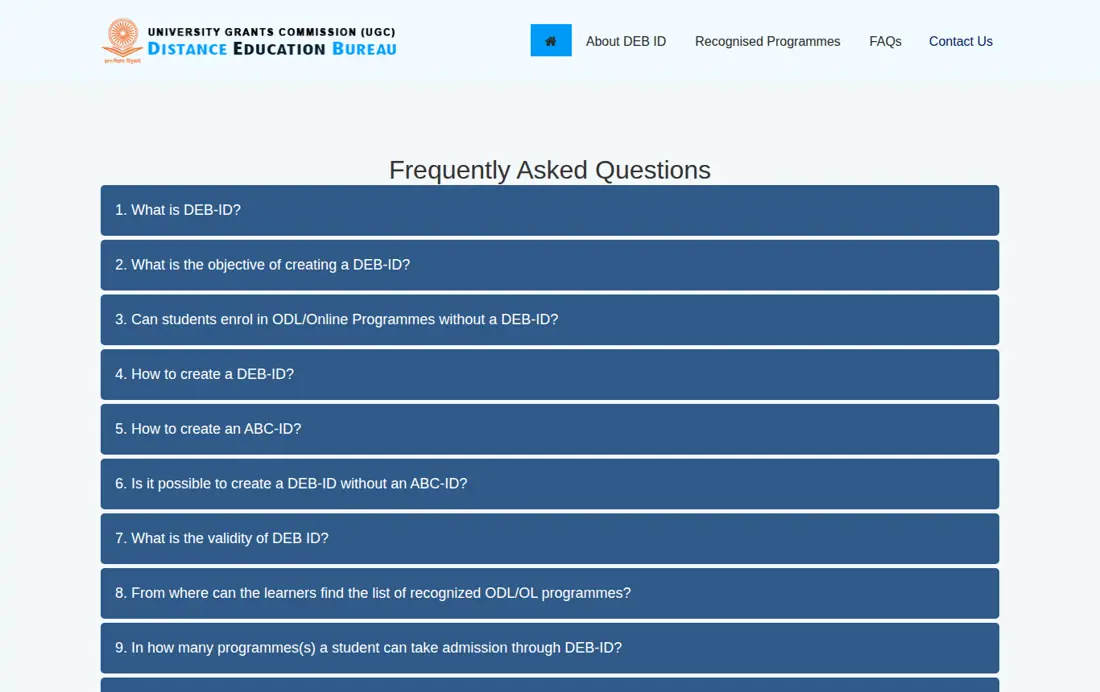
Is ABC ID mandatory for VMOU admission?
Yes, creating an Academic Bank of Credits ID and generating a DEB ID is mandatory for all students taking admission in ODL programmes at Vardhman Mahaveer Open University. University Grants Commission regulations strictly prohibit enrollment in distance education without a valid DEB ID.
How do I create an ABC ID for VMOU?
Students can create an Academic Bank of Credits ID by signing into their DigiLocker account on the official portal. Once created, candidates use this 12-digit ABC ID on the UGC DEB website to register their lifelong DEB ID.
What identity documents are accepted for DEB ID authentication?
The UGC DEB registration portal accepts PAN Card, Passport, UID (Aadhaar), EPIC (Voter ID), and Driving License as valid provider authentication identity modes. Candidates must enter the exact document number matching their selected proof.
How can I correct errors in my ABC ID or APAAR card?
To correct errors in your ABC ID or APAAR card, raise a ticket on the ABC Support System (https://support.abc.gov.in/) or use the DigiLocker application. You can also call the ABC support call center at 18008893511 before updating details on the DEB portal.
What is the validity period of a DEB ID?
A DEB ID remains valid across the entire lifecycle of a student’s open and distance learning education. Once generated using an ABC ID, the single registration number applies to all recognized ODL programmes nationwide.
Can I enroll in two programmes at VMOU using one DEB ID?
Yes, students can take admission simultaneously in two academic programmes using a single DEB ID in accordance with UGC regulations. Candidates must verify that both chosen programmes are UGC-DEB recognized.
How do I check my VMOU admission status after linking ABC ID?
You can check your admission status on the VMOU Student One-View portal by entering your Scholar Number or your Name and Date of Birth. The portal displays fee payment records, assigned regional centers, and enrollment approval.
Who can I contact if my DEB ID registration fails?
If your DEB ID registration fails, contact the ABC helpline at 18008893511 or send an email to the UGC-DEB support desk at debtwo118@gmail.com. You may also contact UGC-DEB phone lines at 011-23604-664 or 011-23604-666.
What identity details are required to submit the DEB ID form for VMOU?
Candidates must enter their 12-digit ABC ID, full name as on Aadhaar, birth year, gender, email address, and mobile number on the DEB portal. Applicants must also choose an authentication document such as UID, PAN Card, Passport, Voter ID, or Driving License and submit its document number.
Which VMOU regional centers accept offline fee submission via PNB bank challan?
VMOU fee submission via Punjab National Bank challan is valid across PNB branches for regional centers located in Ajmer, Bikaner, Jaipur, Jodhpur, Kota, Udaipur, and Bharatpur. Students deposit fees into PNB Account Number 08952010000020 by submitting the student, university, and bank copies of the challan form.
More on Student Services
- VMOU Student One View: Scholar Number Login and Status Search Portal
- VMOU Permission Letter: Term End Exam Admit Card Download & Fees
- Find Your VMOU Scholar No via Student One View Portal
- VMOU Migration Certificate, Degree and Convocation Process
- VMOU Scholarship and Fee Concession 2026: Balika, Samaj Kalyan and Eligibility
- VMOU Profile & Form Correction 2026: Name, Subject, Medium and Study Centre Change